9 December, 2025

Author
Kyrylo Kozak
Upwork API Guide: Master Integration and Automation 2025
Curious how the upwork api is changing the way agencies and developers work in 2025? Imagine automating tedious tasks, integrating your favorite tools, and unlocking new levels of productivity with just a few lines of code. This guide is your roadmap to mastering upwork api integration, from understanding the basics to building powerful workflows that scale. You’ll discover authentication essentials, real-world automation examples, advanced strategies, troubleshooting tips, and the best practices you need to stay ahead. Ready to transform your agency’s workflow and gain a competitive edge? Let’s dive in.
Understanding the Upwork API: Fundamentals and Capabilities
Unlocking the full potential of the upwork api starts with understanding its structure, capabilities, and how it can transform your agency or development workflow. Whether you want to automate repetitive tasks, streamline data flow, or integrate Upwork with your favorite tools, mastering the basics is your first step.
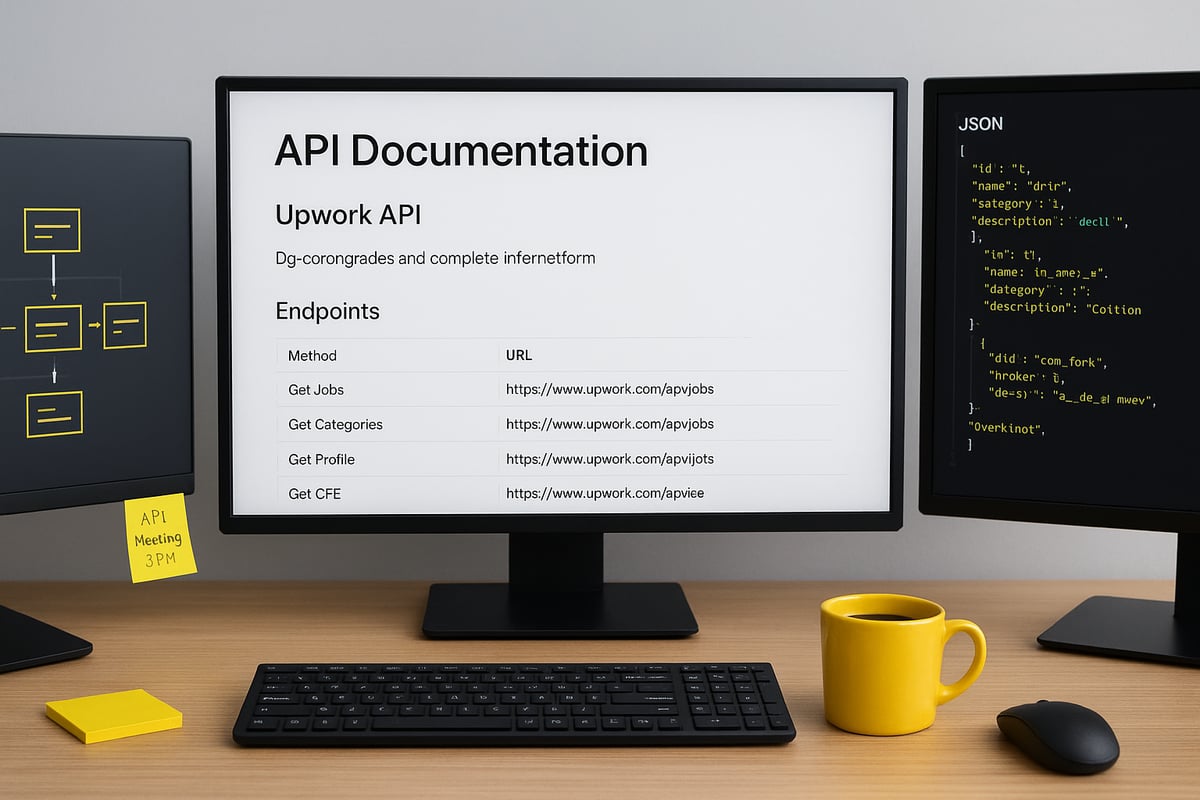
Overview of Upwork API Architecture and Endpoints
The upwork api offers both REST and GraphQL endpoints, making it versatile for a wide range of applications. Core resources include jobs, contracts, messages, users, and profiles. Data is typically exchanged in JSON or XML formats, with responses structured for easy parsing.
Versioning ensures backward compatibility, so legacy workflows remain stable even as new features roll out. In 2025, Upwork has introduced new endpoints and deprecated some older ones, so staying current is crucial.
Automation scope is broad, allowing retrieval of job listings, messaging clients, and contract management. However, certain actions, like automated job applications, remain restricted for compliance. For a practical integration overview, check out Upwork API & Webhooks 101 for Agencies.
Core Use Cases for Agencies and Developers
Agencies and developers leverage the upwork api to supercharge productivity. Automating job searches allows you to filter listings by custom criteria such as keywords, budget, or skills.
Proposal and message management becomes seamless, especially when integrating Upwork data with CRM platforms or analytics dashboards. You can also build custom notification systems to alert your team about new job postings, or handle bulk operations to manage multiple contracts at once.
For example, imagine a workflow that emails new job matches to your team every morning, ensuring no opportunity slips through the cracks.
Limitations and Compliance Considerations
While the upwork api is powerful, it comes with important restrictions. Automated job applications are not supported via the API, maintaining platform integrity. API rate limits and quotas vary depending on your account type, so monitoring usage is essential.
Data privacy and security are top priorities, with GDPR compliance a must for agencies operating in or serving the EU. Violating Upwork’s terms of service, like accessing restricted data or automating forbidden actions, can result in account suspension.
Always ensure your workflows only access permitted data and store it securely.
Real-World Adoption: Statistics and Trends
Adoption of the upwork api has surged, with over 350 agencies now using automation platforms to streamline operations. Popular integration patterns in 2024 and 2025 include syncing Upwork with CRMs, analytics tools, and custom dashboards.
The impact is clear: agencies report saving hundreds of hours, increasing bid volumes, and dramatically boosting operational efficiency. In fact, some agencies have automated up to 85% of repetitive Upwork tasks, freeing teams to focus on strategy and client relationships.
Staying ahead with the upwork api means greater productivity, faster growth, and a real competitive edge.
Mastering Upwork API Authentication: OAuth 2.0 Step-by-Step
Getting started with the upwork api means understanding OAuth 2.0 authentication. This protocol ensures secure, delegated access to Upwork accounts for your apps or automations. You’ll encounter terms like client_id, client_secret, redirect_uri, access token, and refresh token. The upwork api requires explicit user consent, which makes the flow extra secure.
Here’s a quick example of how the authorization URL might look:
https://www.upwork.com/ab/account-security/oauth2/authorize?client_id=YOUR_CLIENT_ID&response_type=code&redirect_uri=YOUR_REDIRECT_URI
This process gives your application the right permissions while keeping user data safe. It’s essential to grasp these fundamentals before diving into automation.
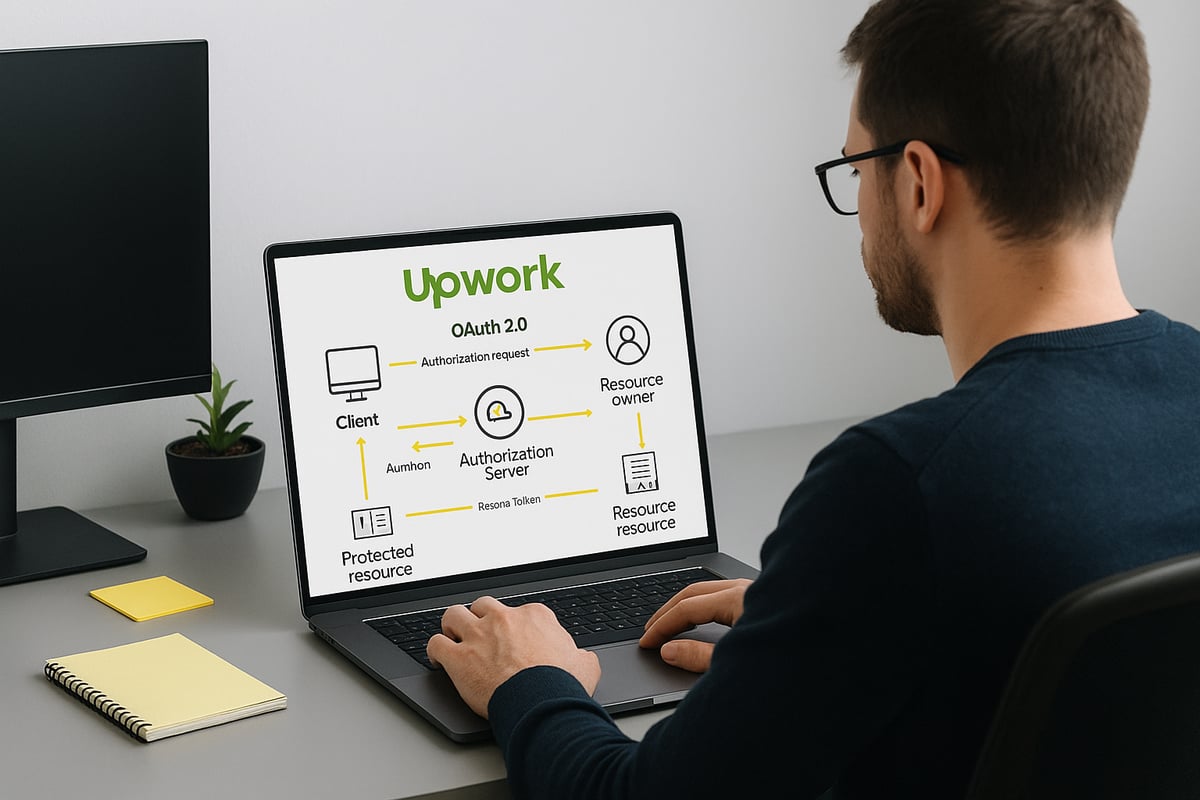
How Upwork’s OAuth 2.0 Flow Works
The upwork api uses the OAuth 2.0 authorization code grant flow for user authentication. Here’s how it works:
- Your app directs users to Upwork’s authorization page.
- Users log in and grant permission.
- Upwork redirects users back to your
redirect_uriwith a temporary authorization code. - Your app exchanges this code for an access token.
Key terms to remember:
| Term | Description |
|---|---|
| client_id | Unique app identifier from Upwork |
| client_secret | Secret key for app authentication |
| redirect_uri | URL for Upwork to send the authorization code |
| access token | Token granting API access for a limited time |
| refresh token | Token for obtaining new access tokens |
The upwork api enforces a manual consent step, which means users must always approve access. Here’s a sample URL structure for requesting authorization:
https://www.upwork.com/ab/account-security/oauth2/authorize?client_id=YOUR_CLIENT_ID&response_type=code&redirect_uri=YOUR_REDIRECT_URI
Understanding this flow is vital for any secure integration.
Step 1: Registering Your Application on Upwork
To start using the upwork api, you’ll need to register your application in the Upwork Developer Portal. This process gives you the credentials required for OAuth 2.0.
Steps to register:
- Log into the Upwork Developer Portal.
- Click “Create New App.”
- Fill in details like app name, description, and permissions.
- Set your
redirect_uricarefully. For automation platforms like Make or Zapier, this is usually a webhook URL.
For example, using a Make.com webhook as your redirect URI lets you automate authentication flows. If you want a detailed walkthrough with visuals, check out Automating Upwork workflow with Getmany for step-by-step integration tips.
Once registered, you’ll receive your client_id and client_secret—keep these safe.
Step 2: Requesting User Authorization and Capturing the Code
Now, it’s time to get user consent for your upwork api integration. Construct the authorization URL using your registered app details:
https://www.upwork.com/ab/account-security/oauth2/authorize?client_id=YOUR_CLIENT_ID&response_type=code&redirect_uri=YOUR_REDIRECT_URI
Direct users to this URL. After they approve, Upwork will redirect them to your specified redirect_uri with a code in the URL parameters. If you’re using automation platforms, set up a webhook or HTTP listener to capture this code automatically.
For browser-based flows, users see a prompt and, after approval, land on your redirect page. In Make or Zapier, a webhook captures the authorization code instantly, streamlining upwork api onboarding.
Step 3: Exchanging the Authorization Code for an Access Token
With the authorization code in hand, your next step is to swap it for an access token via the upwork api. This is done by making a POST request to Upwork’s /oauth2/token endpoint.
Here’s a sample request:
POST https://www.upwork.com/api/v3/oauth2/token
Content-Type: application/x-www-form-urlencoded

client_id=YOUR_CLIENT_ID
client_secret=YOUR_CLIENT_SECRET
grant_type=authorization_code
code=AUTHORIZATION_CODE
redirect_uri=YOUR_REDIRECT_URI
The response will include your access token and refresh token. Parse and securely store these tokens. In automation tools, you’ll often use an HTTP module to automate this step, making upwork api integrations seamless.
Step 4: Refreshing and Securing Access Tokens
Access tokens from the upwork api have limited lifespans. Once expired, you must use the refresh token to obtain a new access token. Automate this by scheduling token refreshes in your workflow.
Best practices for token security:
- Store tokens in environment variables or encrypted vaults.
- Never expose credentials in public code repositories.
- Regularly rotate and audit your secrets.
Here’s a typical refresh request:
POST https://www.upwork.com/api/v3/oauth2/token
grant_type=refresh_token
refresh_token=YOUR_REFRESH_TOKEN
client_id=YOUR_CLIENT_ID
client_secret=YOUR_CLIENT_SECRET
Managing the token lifecycle is crucial for stable upwork api automations, especially in production settings where downtime is not an option.
Building Automated Workflows with Upwork API
Unlocking the power of the upwork api means turning repetitive tasks into smart, automated workflows. Whether you’re an agency owner or a developer, you can save hours each week and scale your operations with the right automation strategies.

Automating Job Search and Filtering
With the upwork api, you can automate job searches based on keywords, skills, budgets, and more. Imagine setting up recurring job scans that run every hour, instantly flagging high-value postings for your team.
- Filter incoming jobs by client rating, payment history, or project size
- Schedule automatic searches to stay ahead of competitors
- Aggregate results and push them to your preferred channels
For example, agencies often use the upwork api to filter for jobs with budgets above $1,000 and notify team members via Slack or email. Automation platforms leveraging the upwork api can help you submit 2 to 10 times more bids per day, boosting your chances of landing quality projects.
Integrating Upwork Data with External Tools
The upwork api lets you sync contracts, jobs, and messages with your favorite external tools. Want your CRM to reflect real-time Upwork deals? Or maybe you need to export job data to Google Sheets for analytics and tracking?
- Connect Upwork with HubSpot, Pipedrive, or custom dashboards
- Export project data for deeper analysis
- Build real-time performance dashboards for your agency
Many agencies report 4 to 8 times higher proposal view rates when they automate data flows with the upwork api. For a step-by-step walkthrough on setting up these powerful integrations, check out this Upwork automation guide.
Automating Messaging and Client Engagement
Save time and delight clients by using the upwork api to automate communications. You can set up personalized welcome messages for new contracts or trigger follow-ups based on client activity.
- Send instant replies when a contract is started
- Automate proposal follow-ups to increase response rates
- Trigger alerts for urgent client requests
It’s important to ensure all automated messages comply with Upwork guidelines. With the upwork api, you can keep engagement high without sacrificing compliance or personal touch.
Monitoring Account Activity and Notifications
Stay on top of every opportunity by monitoring account events through the upwork api. Set up webhooks or polling to get notified about new invites, messages, or milestones as soon as they happen.
- Receive real-time notifications for job invites
- Track new messages and project updates instantly
- Build custom alert systems for your team
For example, you can use the upwork api to trigger push notifications to your phone or desktop whenever a hot job invite lands in your inbox, so you never miss a beat.
Error Handling and Logging for Automated Processes
Automation is only as strong as its reliability. The upwork api provides detailed error codes and responses, making it easier to build robust error handling into your workflows.
- Capture and log API errors for easy troubleshooting
- Implement retry logic for failed requests
- Audit all requests and responses for accountability
Here’s a quick code example for logging errors:
if response.status_code != 200:
    log_error(response.status_code, response.text)
By monitoring logs and handling errors proactively, you ensure your upwork api automations run smoothly, even as your agency scales.
Advanced Integration Strategies for Agencies
Unlocking the full potential of the upwork api requires advanced approaches that address real-world agency needs. Let’s dive into strategies that help agencies automate at scale, boost win rates, and stay ahead of the competition.
Multi-Profile and Team Automation
Managing several Upwork profiles or agency accounts is a challenge, but the upwork api makes it possible to centralize operations. Agencies can integrate multiple profiles into one dashboard, giving managers a bird’s-eye view of all activity.
With role-based access, team members can be assigned specific permissions, ensuring control over proposals and communications. For example, a centralized workflow lets a team member handle all bidding while another manages client messages.
Key benefits include:
- Unified proposal management
- Streamlined team collaboration
- Reduced context switching
This approach transforms agency operations and enables seamless scaling as your team grows.
Context-Aware Job Matching and AI-Driven Filtering
The upwork api supports intelligent job matching by allowing agencies to build AI-driven filters. By analyzing job descriptions, client history, and agency preferences, you can create highly targeted searches.
Advanced filters can consider over 30 parameters, eliminating irrelevant postings and surfacing the most promising jobs. Imagine an AI-powered “vibe scan” that flags only ideal clients to your team.
Benefits:
- 80% reduction in irrelevant job reviews
- Increased proposal quality
- Better client fit
By integrating AI with the upwork api, agencies can focus on opportunities that truly align with their strengths.
Analytics, Reporting, and Performance Optimization
Agencies leveraging the upwork api can aggregate data across jobs, proposals, and contracts to power custom analytics dashboards. Tracking metrics like proposal view rates, reply times, and win ratios becomes effortless.
For example, agencies can analyze which job categories yield the best results or identify bottlenecks in their workflow. This data-driven approach allows for continuous improvement and performance optimization.
Key results:
- 45% reduction in lead generation costs
- Clear visualization of KPIs
- Real-time performance monitoring
Harnessing analytics with the upwork api transforms agency decision-making and ROI.
Integrating with Collaboration and Communication Platforms
Seamless communication is vital for agency success. The upwork api allows integrations with collaboration tools like Slack, Telegram, Discord, and Notion, ensuring your team never misses a hot lead.
Automated notifications can be set up for new job postings, client messages, or contract milestones. Task assignments can be triggered directly from upwork api events, keeping your sales and delivery teams aligned.
Sample integrations:
- Slack alerts for new job matches
- Notion task creation for new contracts
- Discord notifications for urgent invites
Connecting the upwork api with these platforms supercharges agency responsiveness.
Leveraging Getmany for Seamless Upwork Automation
Getmany's REST API automates entire Upwork workflows - tracking proposal analytics in real-time, retrieving jobs feed instantly, and integrating seamlessly with your CRM and communication tools.
Core capabilities:
- Track proposal and profile analytics (views, replies, costs, response times)
- Retrieve jobs feed in real-time
- Integrate with CRM, communication, and analytics platforms
Authentication: Bearer token (format: Bearer gm_xxxxxxxxx). Rate limit: 20 requests/minute, scalable for high-volume agencies.
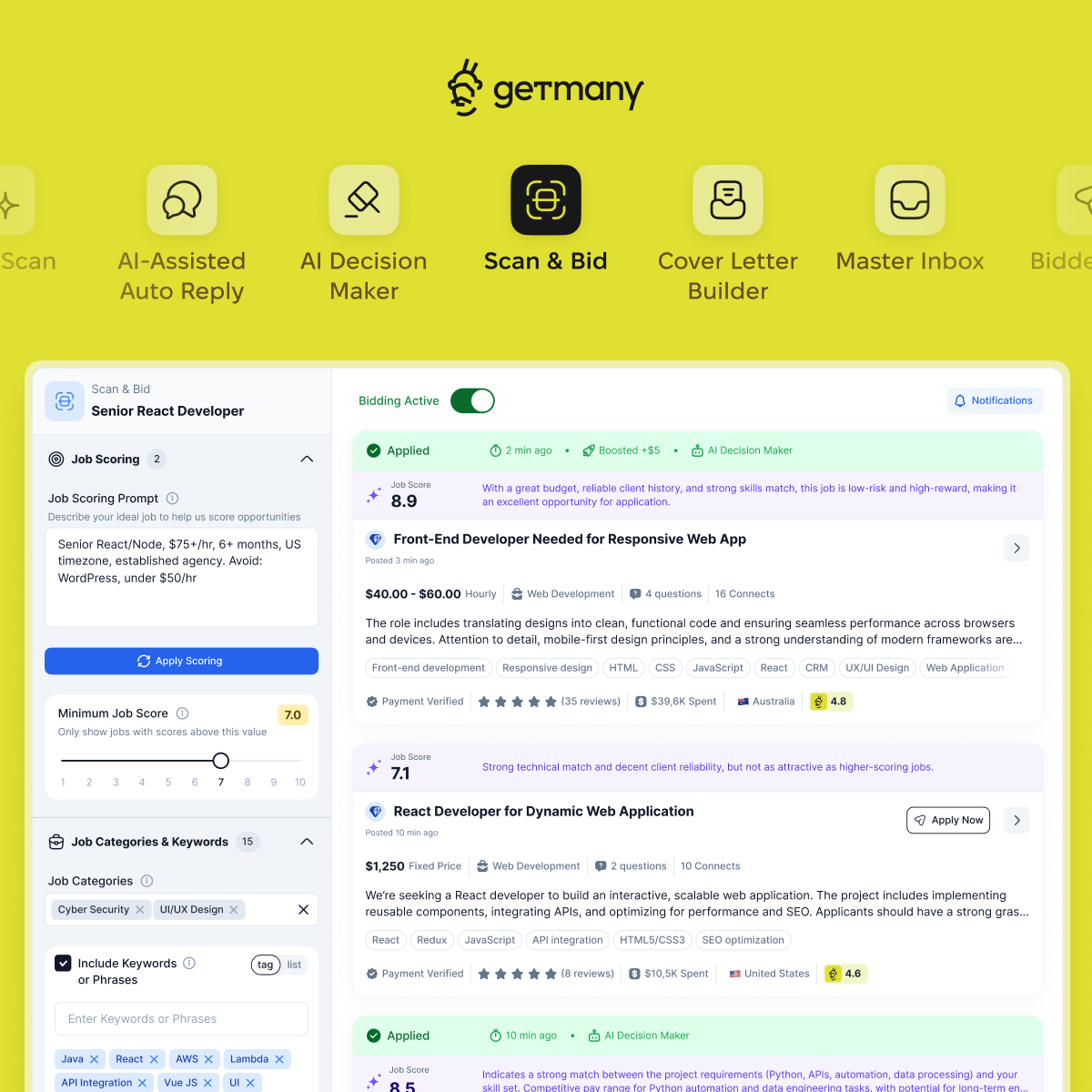
Real-world results: Agencies using Getmany automate 80% of repetitive tasks and report 2-10x more bids per day, 4-8x higher proposal view rates, and 30+ hours saved weekly. 350+ agencies already onboard since 2023.
Ready to Transform Your Upwork Workflow?
Troubleshooting, Security, and Best Practices for 2025
Navigating the upwork api landscape in 2025 can feel like solving a complex puzzle. Even the most seasoned developers and agencies face hurdles, from authentication errors to shifting compliance standards. Proactive troubleshooting, airtight security, and a community-driven mindset are key to building resilient, future-proof automations.
Common API Integration Challenges and Solutions
When integrating with the upwork api, common issues can arise, especially during OAuth authentication or when handling HTTP errors. Developers may encounter redirect_uri mismatches, invalid credentials, or unexpected “bad request” responses.
To tackle these, start by double-checking your OAuth app settings and ensuring the redirect URI matches exactly. Use the following troubleshooting checklist:
- Confirm client_id and client_secret values
- Validate the authorization code is fresh and single-use
- Check endpoint URLs for typos
For debugging, log both requests and responses. Here’s a quick code snippet for logging in Python:
import logging
logging.basicConfig(level=logging.INFO)
logging.info("Request: %s", request_data)
logging.info("Response: %s", response_data)
With these steps, most upwork api integration hiccups can be swiftly resolved.
Ensuring Security and Compliance
Security and compliance are non-negotiable when working with the upwork api. Always secure credentials using encrypted vaults or environment variables. Implement least-privilege access, granting only the permissions absolutely necessary.
Stay vigilant about upwork api rate limits and data privacy regulations like GDPR. Violating Upwork’s terms can lead to account suspension, so review permitted actions regularly.
Remember, only store and process data your agency is authorized to access. Regular audits and compliance reviews help maintain trust and platform integrity.
Optimizing Performance and Reliability
To get the most from the upwork api, optimize for both speed and stability. Respect rate limits by implementing request throttling and exponential backoff strategies. If the API returns a 429 error, pause and retry after the suggested interval.
Keep workflows robust by adding retry logic for transient errors. Monitor workflow uptime with automated alerts for failures or delays. For high-volume agencies, consider a load-balanced architecture to distribute requests evenly.
A simple retry example in pseudocode:
for attempt in range(max_retries):
    try:
        response = upwork_api_request()
        break
    except TemporaryError:
        wait(backoff_time)
This approach ensures your upwork api automations run smoothly, even at scale.
Staying Up-to-Date with Upwork API Changes
Upwork regularly updates its API, so staying current is critical. Monitor the official developer documentation and subscribe to release notes for early warnings about deprecations or new features.
When an endpoint is deprecated, plan migrations in advance to avoid service disruptions. Use versioning best practices by specifying the desired API version in your requests. This guards against breaking changes.
Adapting quickly to upwork api updates keeps your automations reliable and ensures you benefit from the latest enhancements and security improvements.
Expert Tips and Community Resources
The upwork api community is a goldmine for troubleshooting tips and best practices. Participate in forums like Make, Stack Overflow, and Upwork’s own developer hub to learn from real-world experiences.
Many agencies leverage guides such as the Upwork Automation: Complete Guide to Automating Your Entire Freelance Workflow in 2025 for advanced strategies and workflow ideas. Don’t hesitate to tap into Make Academy or join webinars for hands-on learning.
Remember, almost 70% of common upwork api issues are already solved in community knowledge bases. Collaboration accelerates your path to mastery.
Future Outlook: Trends in Upwork API Automation and Integration
The future of the upwork api is bright, with new technologies and smarter integrations on the horizon. As we look ahead to 2025, agencies and developers are poised to unlock even greater productivity and innovation by leveraging automation, AI, and a growing ecosystem of tools.
AI and Machine Learning in Upwork Automation
AI is quickly transforming how agencies use the upwork api. Intelligent job matching, smart proposal writing, and workflow optimization are now possible thanks to machine learning. These advancements help agencies predict which jobs will yield the best results and tailor proposals for higher success rates.
Platforms are using AI-powered analytics to recommend the best time to bid, estimate win probabilities, and automate repetitive steps. For a deeper dive into these innovations, check out AI tools for Upwork agencies. Agencies embracing these tools are seeing a 40x ROI and improved client engagement.
Expanding Integration Ecosystem
The upwork api is at the heart of a rapidly expanding integration ecosystem. More third-party tools, such as N8N and Zapier, now provide plug-and-play automation for Upwork workflows. This means agencies can connect Upwork with their sales, CRM, and analytics platforms without writing custom code.
Custom dashboards, real-time notifications, and advanced analytics are within reach for agencies of all sizes. By leveraging these integrations, teams can streamline communication and manage projects more efficiently, making the upwork api a central hub for agency growth.
Regulatory and Platform Updates for 2025
Staying ahead of regulatory and platform changes is crucial for anyone using the upwork api. In 2025, Upwork is expected to introduce new API terms, stricter privacy policies, and enhanced security features. These changes will impact how data is accessed, stored, and shared.
Agencies must be ready to adapt quickly by monitoring Upwork’s documentation and release notes. Preparing for new compliance standards will help avoid disruptions, ensuring that automations remain reliable and secure as the upwork api evolves.
Opportunities and Risks for Agencies and Developers
Adopting the upwork api for automation offers significant competitive advantages, but it also brings risks. Agencies that move fast can win more bids and save time, but over-automation or misuse of the API can lead to account issues or client disengagement.
To maximize benefits, agencies should balance automation with personalized client interactions. For more strategic insights, explore the AI Automation for Freelance Business: Complete Guide to 10x Your Income in 2025. Sustainable growth comes from using the upwork api thoughtfully, ensuring compliance and keeping client relationships strong.
If you’re excited about the possibilities of Upwork API integration and eager to see real results from automation, you’re not alone. We’ve walked through how agencies are saving up to 30 hours a week and boosting their proposal game by automating 85% of repetitive tasks - imagine what you could do with that extra time and energy. Want to see how this all plays out in the real world and find out what it feels like to work smarter, not harder? You don’t have to imagine - See Getmany in action and discover how effortless Upwork automation can be.